


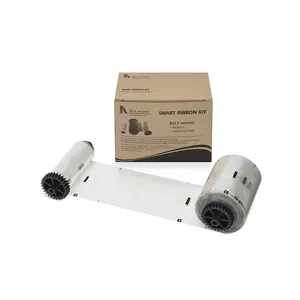


Printer Ribbons for Label, Tag and Card Printers
A printer ribbon carries the ink that a thermal transfer label printer or an ID card printer transfers onto labels, tags, sleeves and cards. This category includes wax, wax-resin and resin ribbons for barcode and identification labels, chemical- and solvent-resistant ribbons for lab and industrial marking, full-color and monochrome card ribbons, overlaminates and cleaning supplies, from Brady, Zebra, Brady People ID, LabTAG and other manufacturers. Match the ribbon to your printer model first, then to the label or card material.
Thermal Transfer Ribbon Applications
A thermal transfer ribbon produces barcodes, wire markers, asset tags, pipe and safety labels, and sample labels that must survive handling, heat, abrasion or solvents. Labs pair resin ribbons with cryogenic and chemical-resistant labels for vials, tubes and slides, while plants rely on them for equipment, inventory and shipping labels. Card printers serve a different job: personalizing employee badges, visitor passes and access cards with photos and text. Reorders usually follow the ribbon part number that the printer manufacturer lists for the model.
Ribbon Types and Formulations
The formulation decides which surfaces can be printed and how long the image lasts.
- Wax ribbons: economical, sharp printing on paper labels and tags for short-life uses.
- Wax-resin ribbons: better scratch and smear resistance on coated paper and many synthetic labels.
- Resin ribbons: the most durable image on polyester, polypropylene and vinyl, resisting chemicals, heat and abrasion.
- Card ribbons: color panel sets or single-color monochrome panels for PVC cards, sometimes with a clear overlay panel.
- Overlaminates and cleaning kits: clear or holographic films that seal printed cards, and cleaning cards that keep printheads and rollers in condition.
Printer Compatibility
Each ribbon is built for a specific printer family. Width, length, core size and whether the ink faces in or out all have to match, and many cartridge-style and card ribbons carry a chip that the printer reads before it will print. Ordering by the printer manufacturer's ribbon part number avoids wrinkling, faint print and error messages. Printers and spare parts are listed separately under label printers, card printers and printer accessories and kits.
How to Choose a Printer Ribbon
The printer model comes first and the job second, so confirm these points.
- Exact printer model and its approved ribbon part numbers.
- Label or card material: paper, synthetic film or PVC.
- Exposure the print must survive: abrasion, solvents, heat or outdoor use.
- Number of color panels, from monochrome to a full-color ID card printer ribbon.
- Roll length compared with your label roll and print volume.
Why Buy Printer Ribbons from Selectum Store Corp
Selectum Store Corp carries Brady ribbons for BBP, BMP71 and i7500 label printers, Zebra wax and resin rolls and ZXP color card ribbons, LabTAG alcohol-proof resin ribbons for lab labels, and card ribbons from Brady People ID, IDP, Magicard and HID Global. Each product name starts with the manufacturer part number, so the ribbon named in your printer manual is easy to find. Free shipping is marked on qualifying items.
Frequently Asked Questions
How many labels can one printer ribbon print?
It depends on the ribbon length and how much of it each label uses, since the ribbon advances with the label whether or not every area is printed. As a rule, choose a ribbon at least as long as the label roll, so one ribbon lasts through each roll and changeovers stay simple.
Can I use a printer ribbon from a different brand?
For standard rolls, a different brand can work if width, length, core size and ink side match the printer. Cartridge-style printers and most card printers read a chip in the ribbon and accept only the formats the printer maker approves. When in doubt, order the part number listed for your model.
How can I tell which side of a printer ribbon is coated?
Press a piece of adhesive tape against one side of the ribbon and pull it off; the side that leaves ink on the tape is the coated side. Scratching the surface lightly with a fingernail gives the same answer. The printer manual shows which direction the coated side must face.
How should printer ribbons be stored?
Keep them in their original packaging in a cool, dry place away from direct sunlight, heat sources and dust. Heat can soften the ink layer and cause rolls to stick, while dust on the ribbon leaves voids in the print and wears the printhead. Use older stock first.